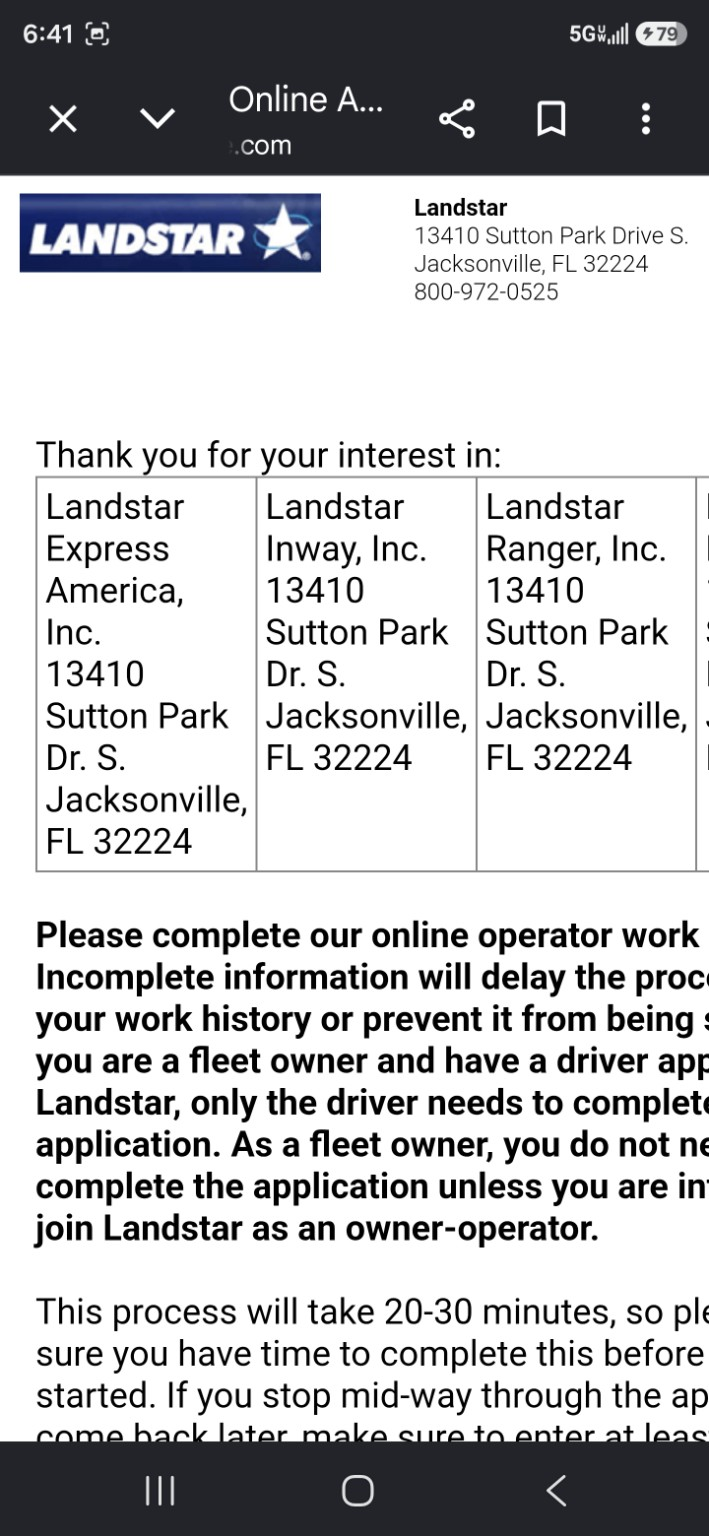
When you click Apply, the application opens on intelliapp.driverapponline.com. That is the Tenstreet / IntelliApp page Landstar uses to collect the information needed to start qualification.
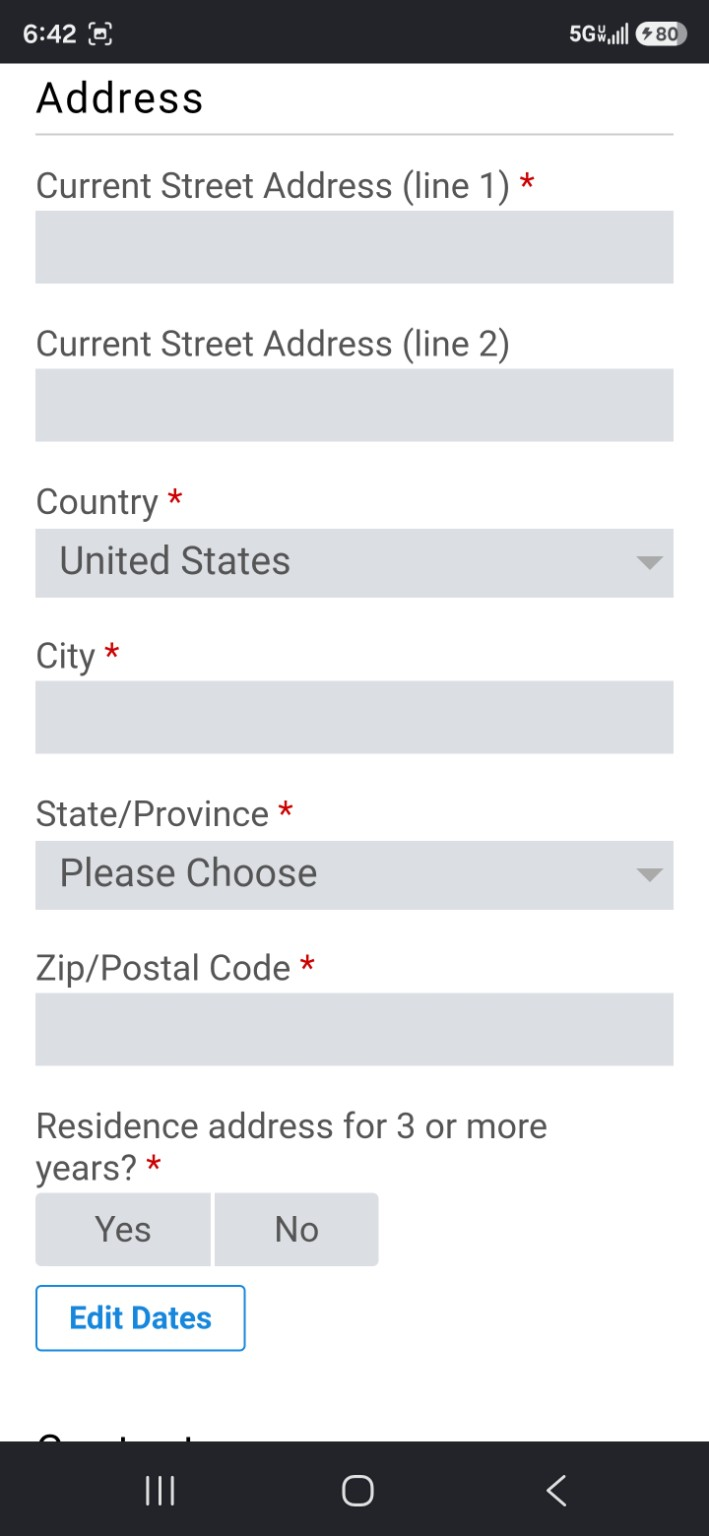
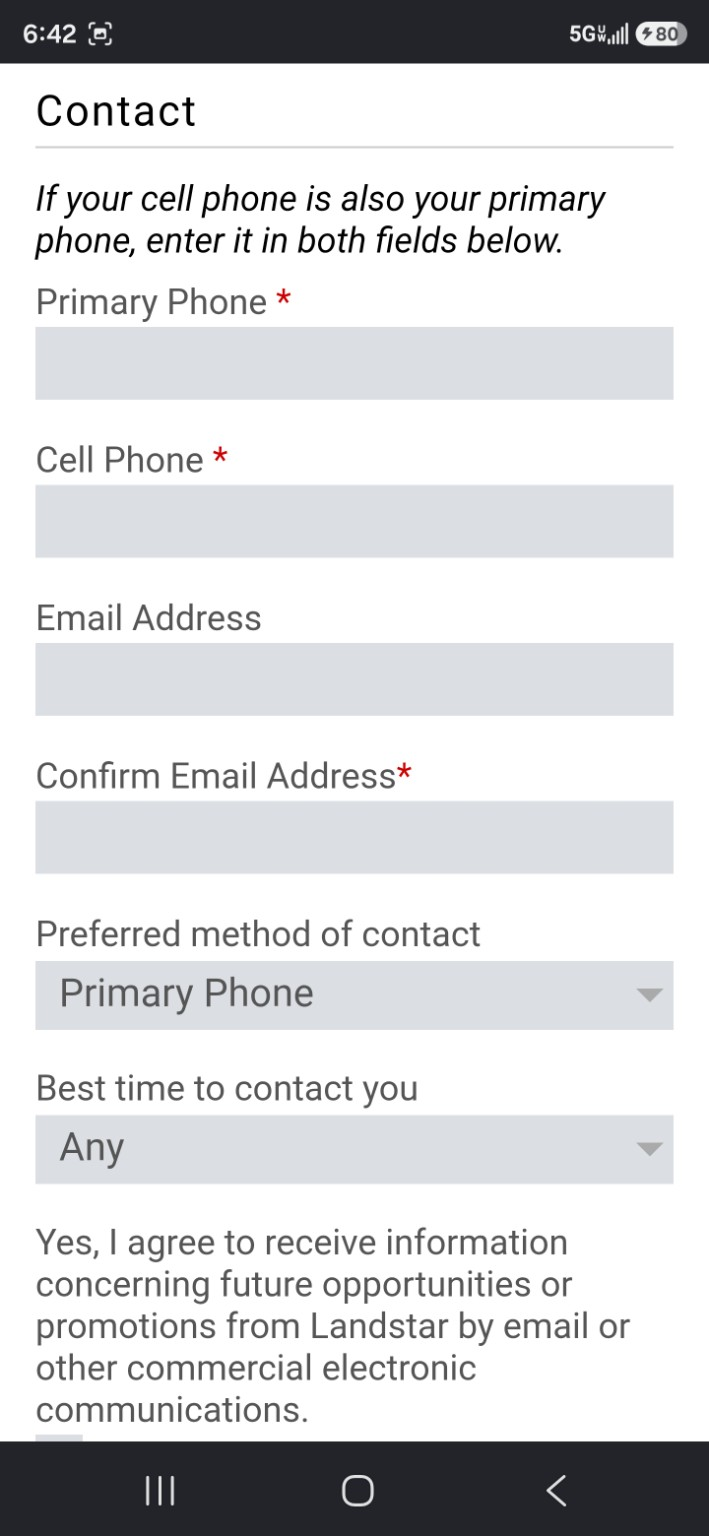
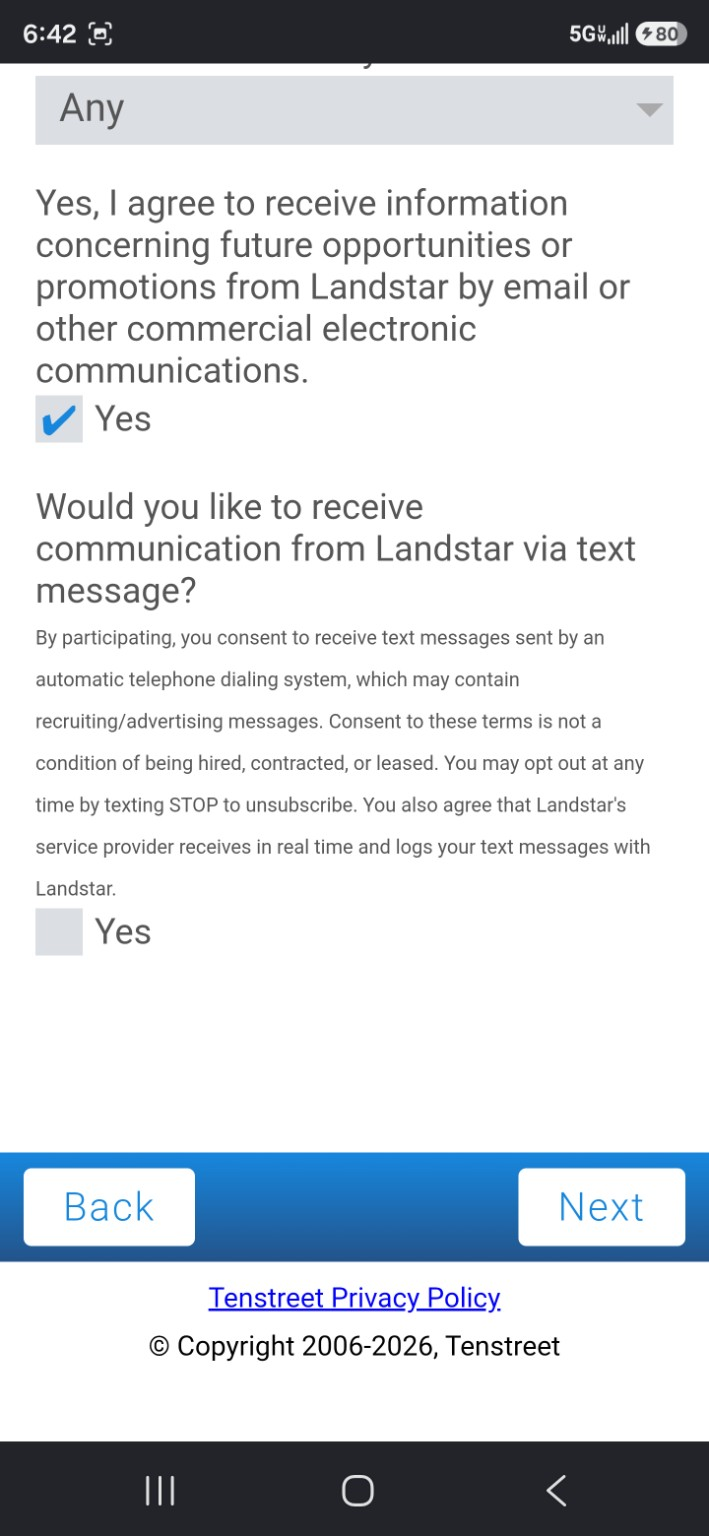
The screenshots below show the normal application flow, including the opening screen, minimum requirements, personal information, address history, contact information, and communication options.
Why the Landstar application opens on Tenstreet
Landstar uses Tenstreet to collect applications, communicate with applicants, and request documents during qualification. Tenstreet is a common trucking application platform. A lot of drivers know it from IntelliApp or the Driver Pulse app.
If you see driverapponline.com, that is the application system behind the form.
Mobile users: what to expect
The first Tenstreet screen may require some scrolling on a phone. After you continue past the opening screen, the form becomes easier to work through on mobile.
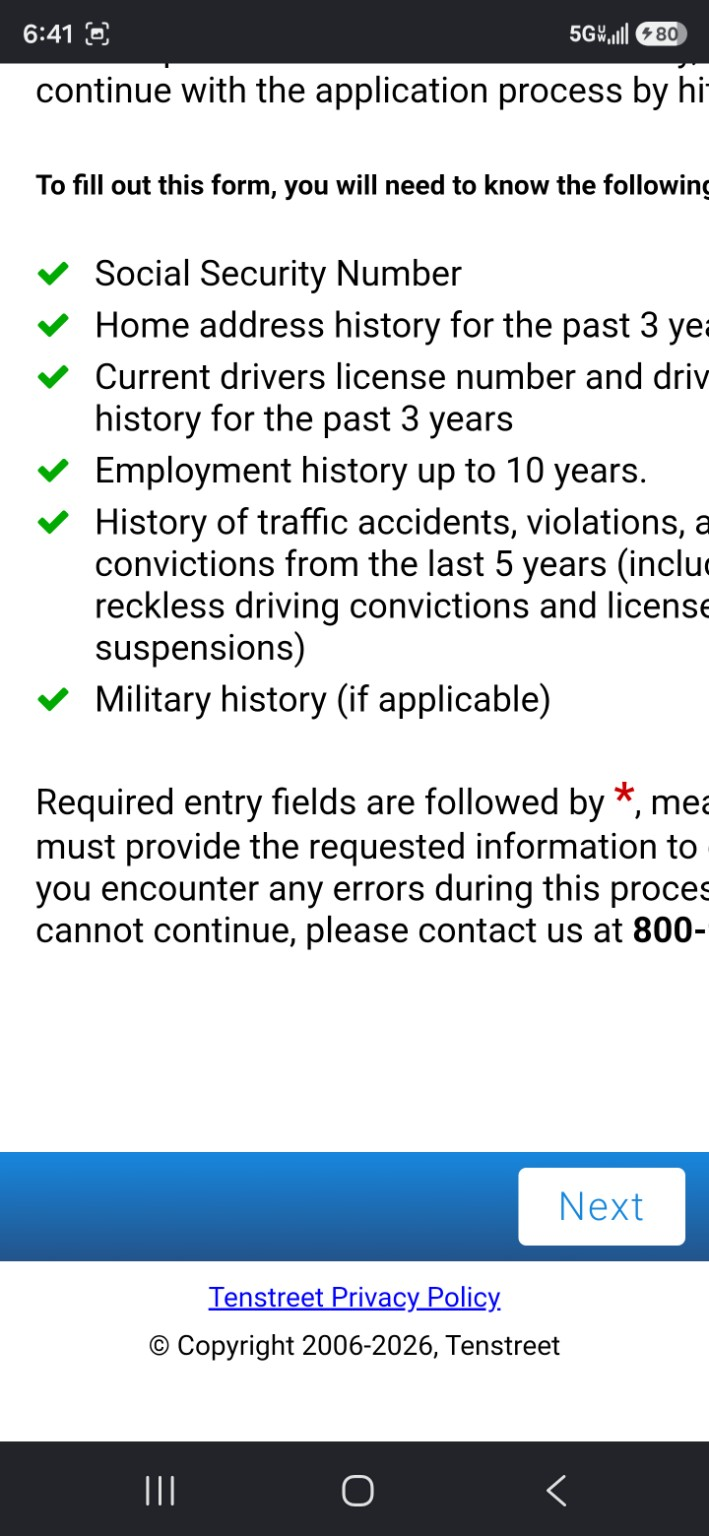
If you have 20 to 30 quiet minutes, you can probably make a strong start. You do not need to have every date memorized before you begin. Start with the basics, keep moving as far as you can, and if you have to stop, hit Next first when possible so the application has a chance to save your progress.
What the application asks for
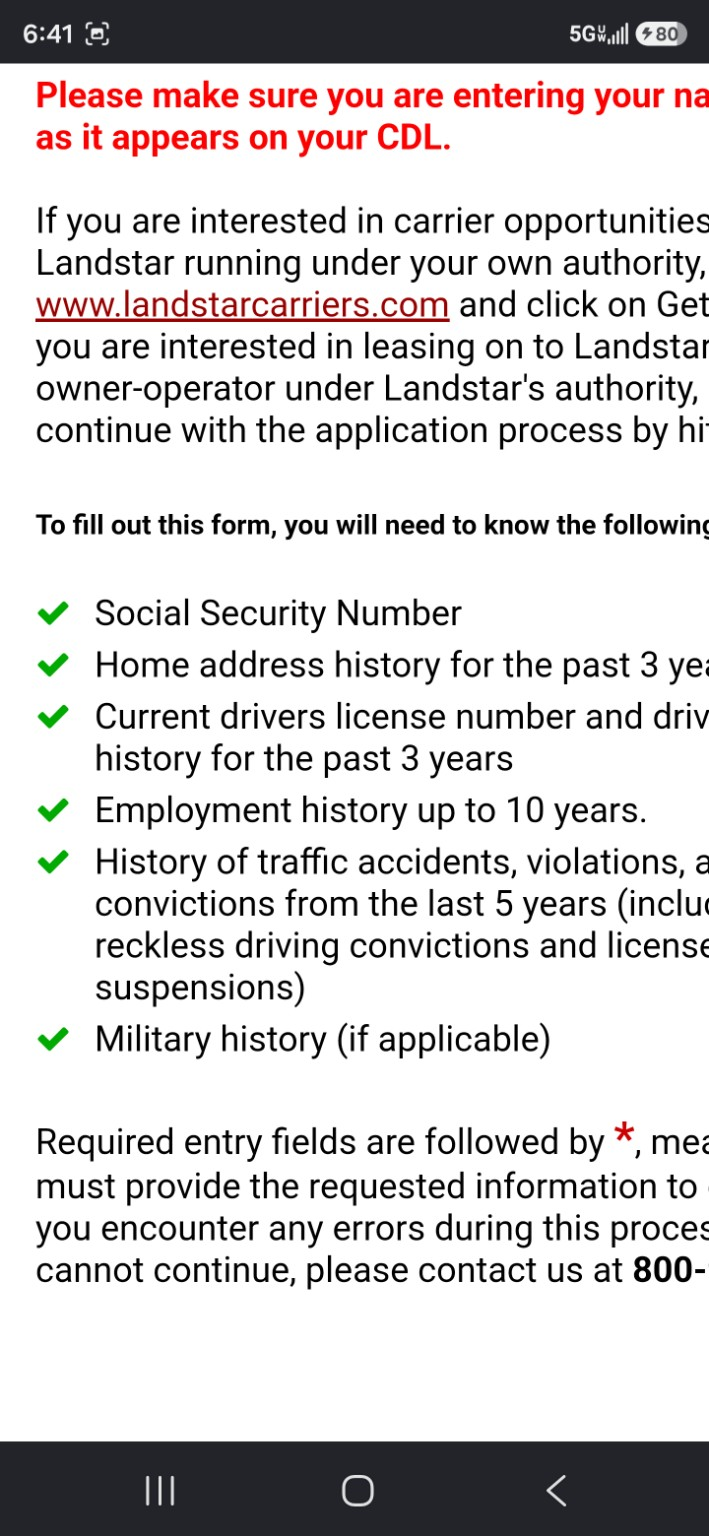
The application asks for the same kind of information any reputable trucking company normally needs before qualifying a driver or owner-operator. You can start with the basics and fill in as much as you can:
- Social Security Number
- Three years of home address history
- Current CDL or driver license information
- Driver history for the past three years
- Employment history up to 10 years
- Traffic accidents, violations, and convictions from the last five years
- Military history, if applicable
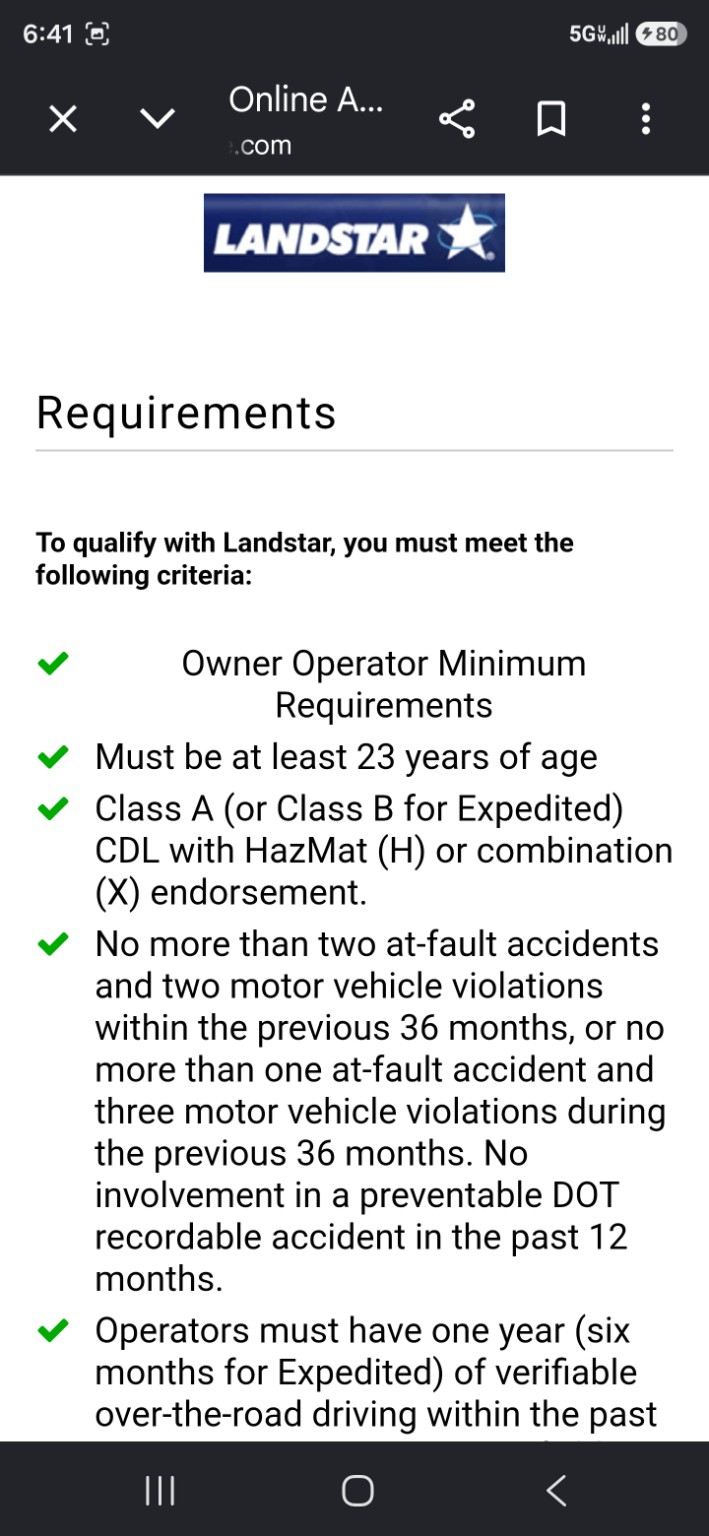
Review the Landstar qualification requirements
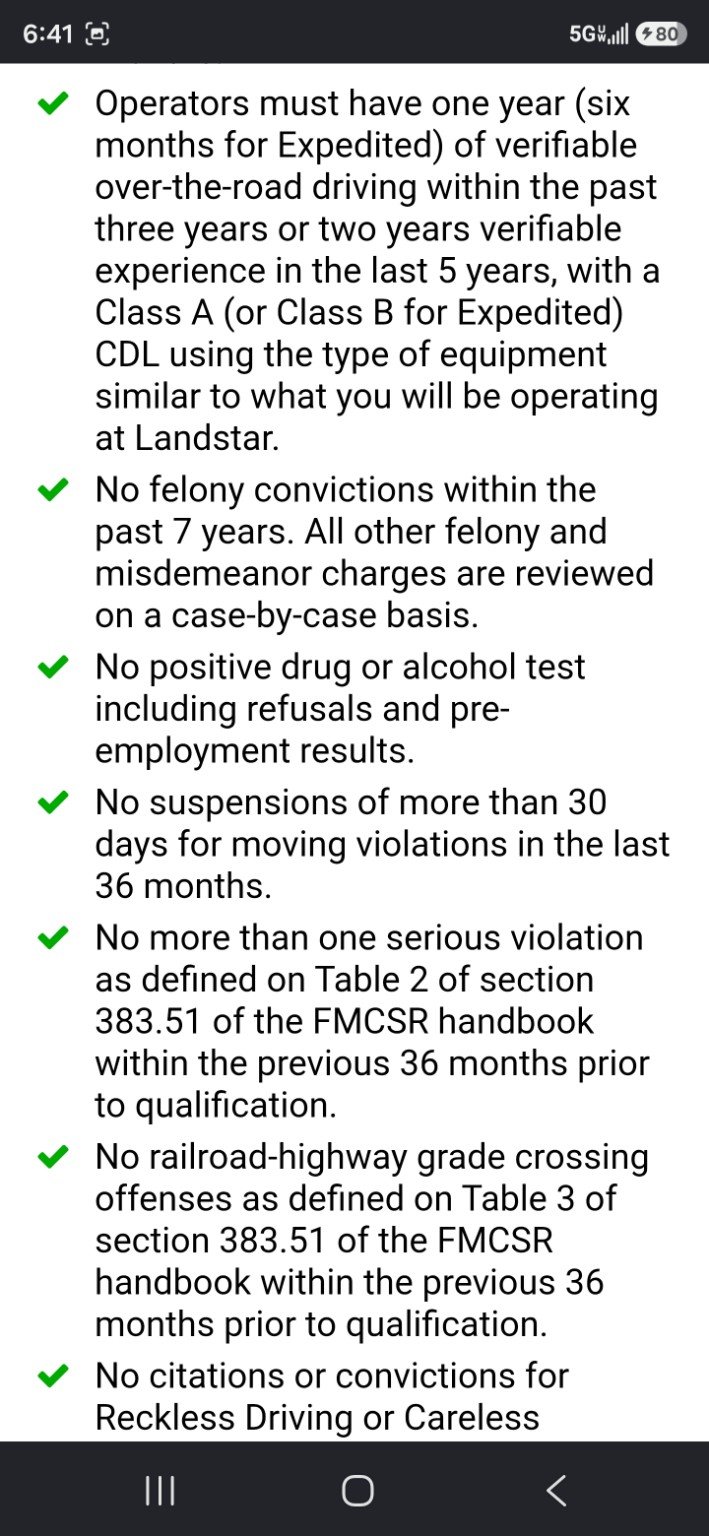
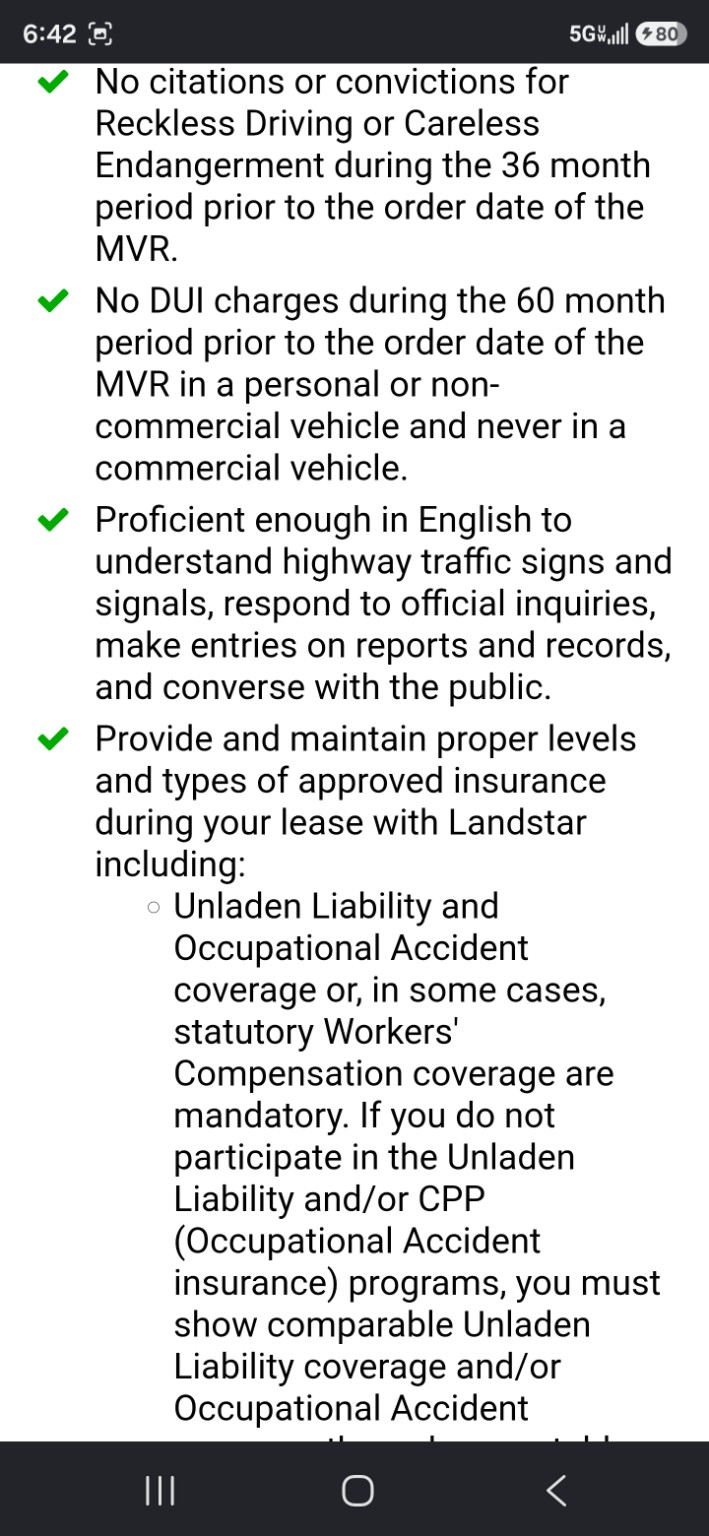
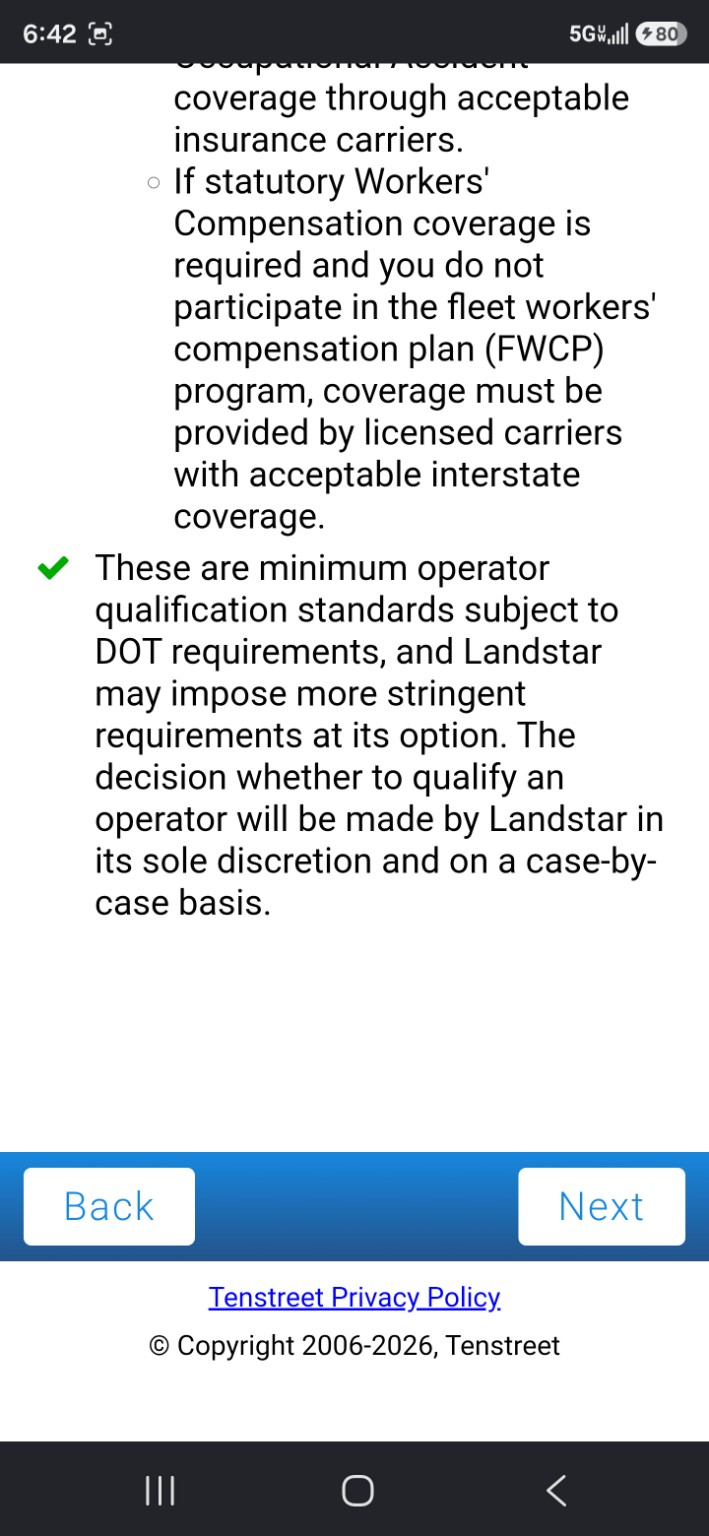
Before the application continues, Landstar lists minimum qualification requirements. Read them carefully so you know what Landstar is checking before you move deeper into the form.
If something in your history is close, unclear, or recent, be honest and let Landstar qualification sort it out. It is better to understand the issue early than waste time guessing.
Start with personal information
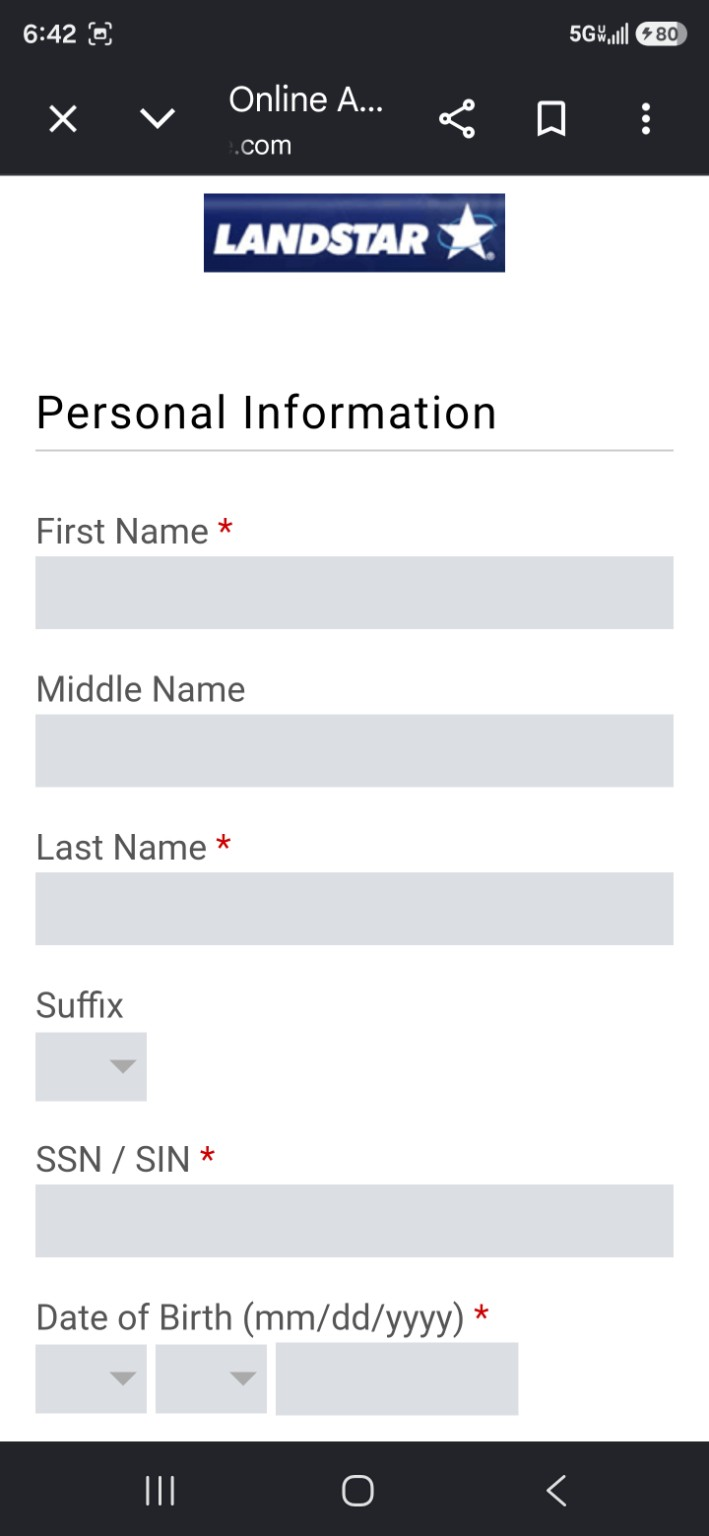
The early screens ask for basic personal information, including your name, date of birth, and Social Security Number. This is the part that gets your application started in the system.
Address history
Expect to enter address history, usually covering the last three years. Fill it out as accurately as you can. If you need to double-check a date later, keep moving as far as the application allows and watch for follow-up.
Contact information and communication preferences
Use an email and phone number you actually check. If Landstar qualification asks for a document, a correction, or clarification, this is how they can reach you.
You may see consent options for calls, texts, or other communication. Read them before you agree. The point is simple: after you apply, Landstar and the application platform need a way to reach you.
Download Driver Pulse after you apply
After you start the application, download Driver Pulse by Tenstreet. That is the app many drivers use to watch application status, receive messages, upload documents, and respond when qualification needs something.
Do not treat it like some random app you might check next week. If Landstar asks for a document and you miss the message, your application can sit while everybody else keeps moving.
What happens after you submit the application
After you submit, the process is not necessarily finished. You may still need to provide documents, answer questions, correct dates, verify experience, or respond to qualification follow-up.
Turn on notifications, answer calls, check texts, and watch your email. The faster you respond to document requests, the less chance your application sits because of something simple.
Final tips before you apply
- Start when you have a few quiet minutes and go as far as you can.
- Use your real everyday phone number and email.
- You do not need every date in front of you to complete the first screens.
- Read the minimum qualifications before going deeper.
- If you cannot finish in one shot, hit Next before leaving so your progress has a chance to save.
- Download Driver Pulse after you apply and turn on notifications.
- Do not assume approval. Let Landstar qualification make that call.
Ready to apply?
You can start with the basics and complete as much as you can. If Landstar needs more information, watch your phone, email, and Driver Pulse after you apply.
Start the Landstar application